Containerized applications
An alternative to packaging your software with RPM is to install your application or service in a Linux container. Deploying applications as containers can be advantageous because the container isolates the application from the OS, as well as from other containers. This means that you can build the application against a different base OS that is not necessarily compatible with AutoSD, with the exception of the kernel application binary interface (ABI). With this framework, you can have multiple applications that use different environments running on a single system.
In addition, containers have other advantages, such as the ability for each container to use different versions of dependencies and the improved robustness, security, and flexibility that comes from the kernel-level application isolation. This isolation forms the mixed-criticality architecture of the AutoSD application environment.
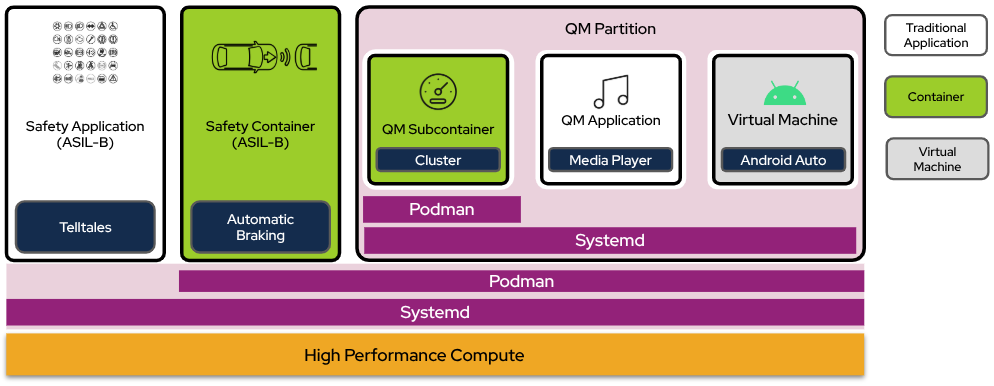
Figure 1. Container isolation in root and QM partitions